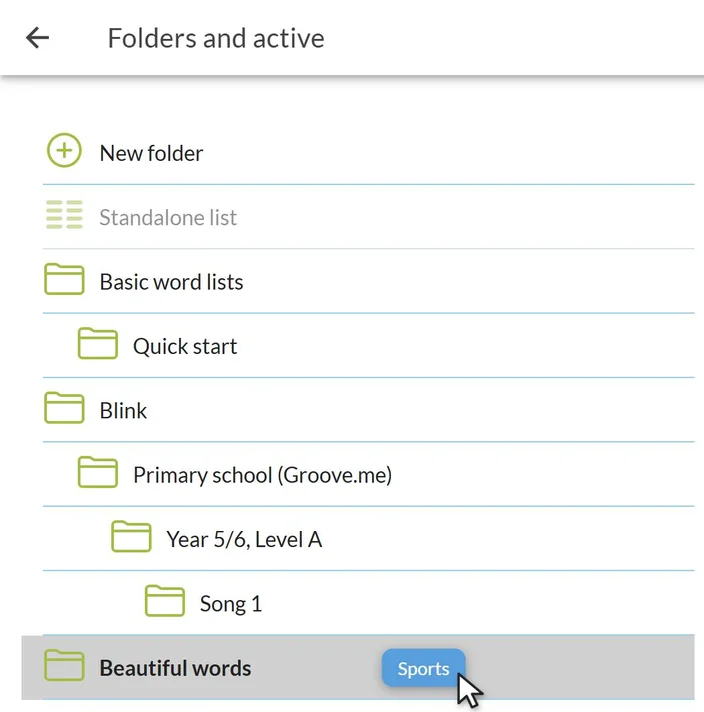
Drag word lists to folders 📁
by Paul -
Do you have so many word lists that you can’t see the forest for the trees? Folders help you keep them neatly organized. And putting your lists into folders has just gotten a lot easier: just drag and drop!
Here’s how it works:
- Go to “My Vocabulary Lists” and select “Folders and Active” from the menu in the top right corner.
- Grab a vocabulary list by the handle—the icon in front of the list’s name.
- Drag the list to the correct folder and drop it there. Done! ✅
If you drag a list to “New Folder,” you’ll create a new folder right away. Want to remove a list from a folder? Just drag it to “Individual List.”
Tip: The new school year has just started. It’s a great time to put last year’s lists together in one folder. That way, you’ll have a clear overview again! 😎
Folders are available only to premium users.